Leave your cursor in the target input and summon CuePad. Hit dispatch — the text lands right where you were typing. Pin your favorite target, and let auto-send press Enter for you.
Terminal · iTerm · Zed · VS Code — pin a target, auto-send presses ⏎
100% local — every card lives in one SQLite file on your Mac. No account. No cloud. No telemetry.
From idea to prompt in three moves
Write like on paper
Full-screen cards with light styling for headings, lists and code blocks. Plain text in, plain text out — every keystroke autosaves.
Summon from anywhere
CuePad lives in the tray and hides instead of closing. One global shortcut brings it back, right over your work.
⌥ Space
Dispatch, cursor intact
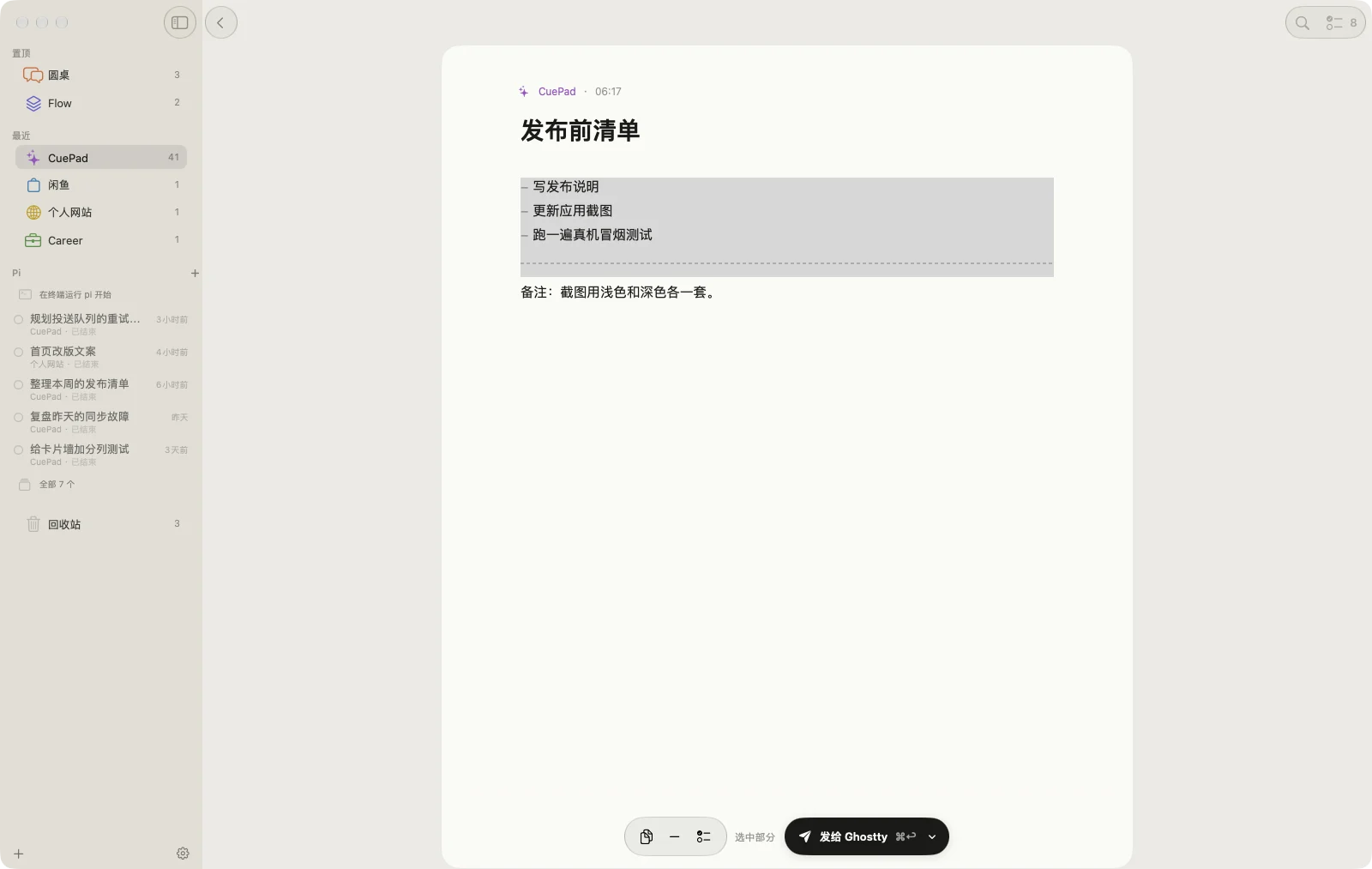
Send the whole card, or select a passage and send just that part.
⇧ ↵
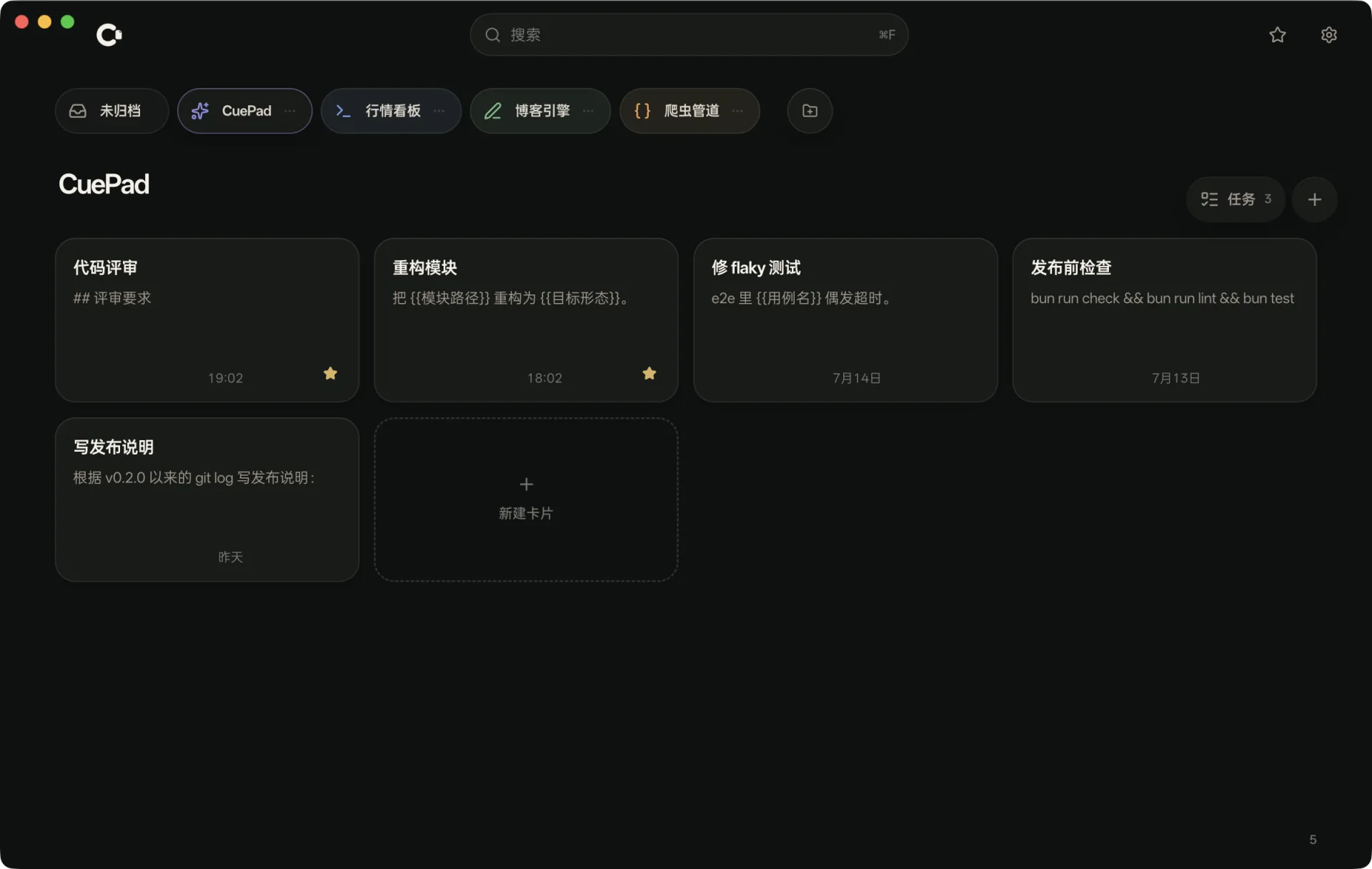
Everything a draft needs
A full-screen card that gets out of the way
Immersive editing with gentle styling for ## headings, - lists, code blocks and {{variables}}. Select any passage to send just that part, or turn the selected lines into tasks.
Plain text in, plain text out
Send just the selected part
Selected lines become tasks
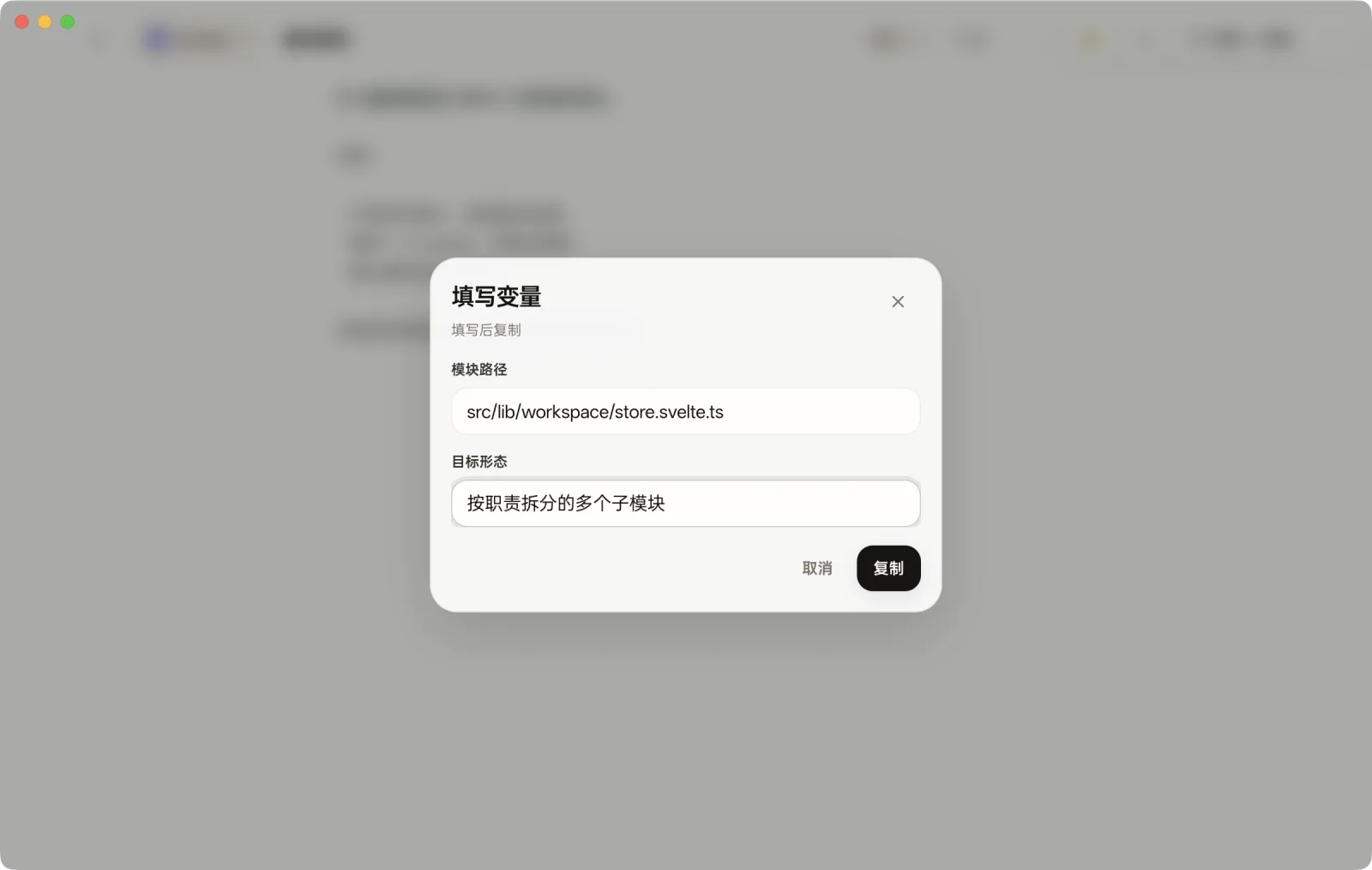
Fill the blanks at send time
Draft with {{variables}}; CuePad asks for the values right before you copy or dispatch — and each card remembers your last answers.
Reusable prompt templates
Per-card memory
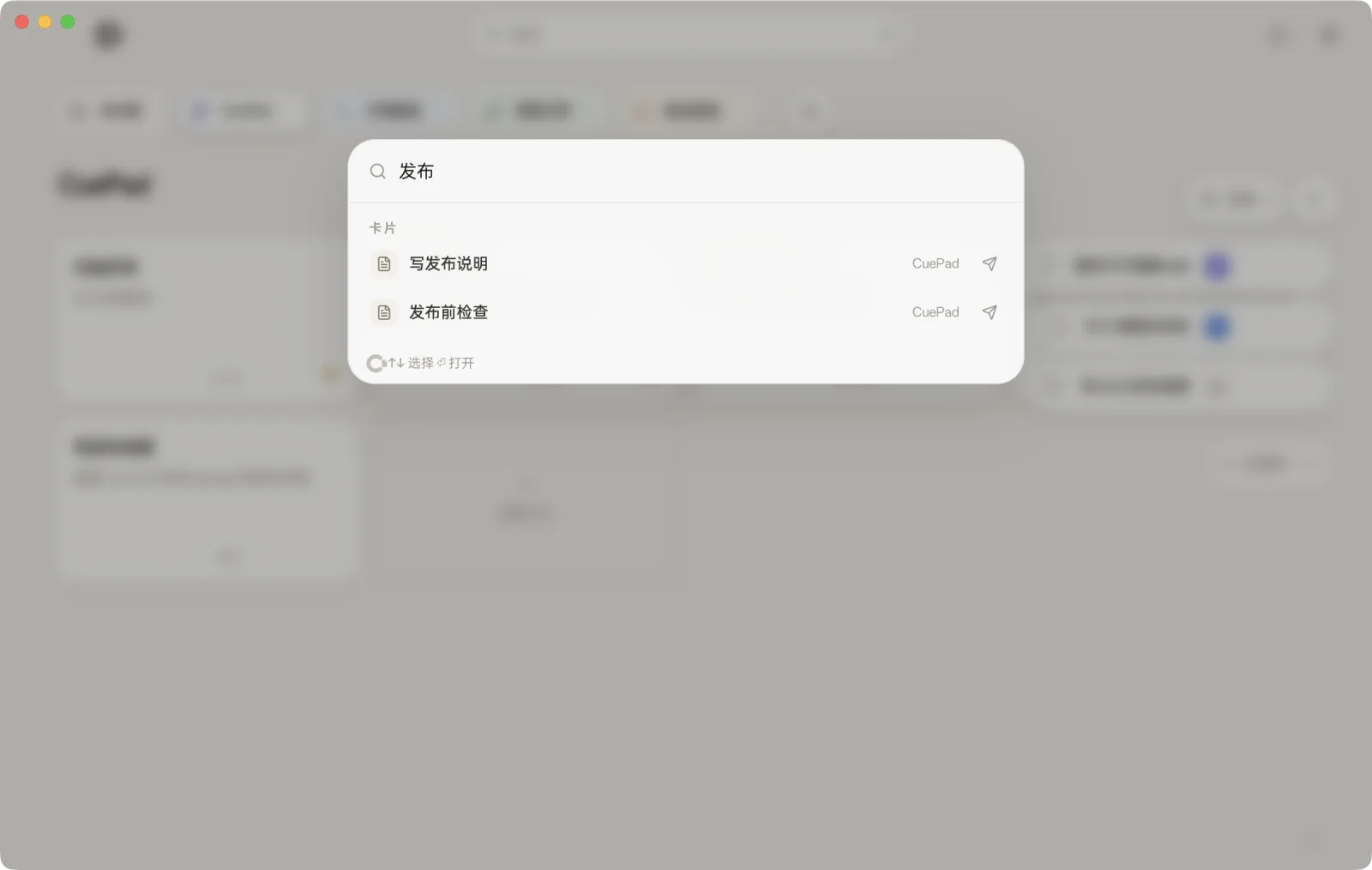
Find anything in a keystroke
⌘ F searches projects, cards and tags from anywhere. Enter jumps straight to the card.
Loose ends, parked
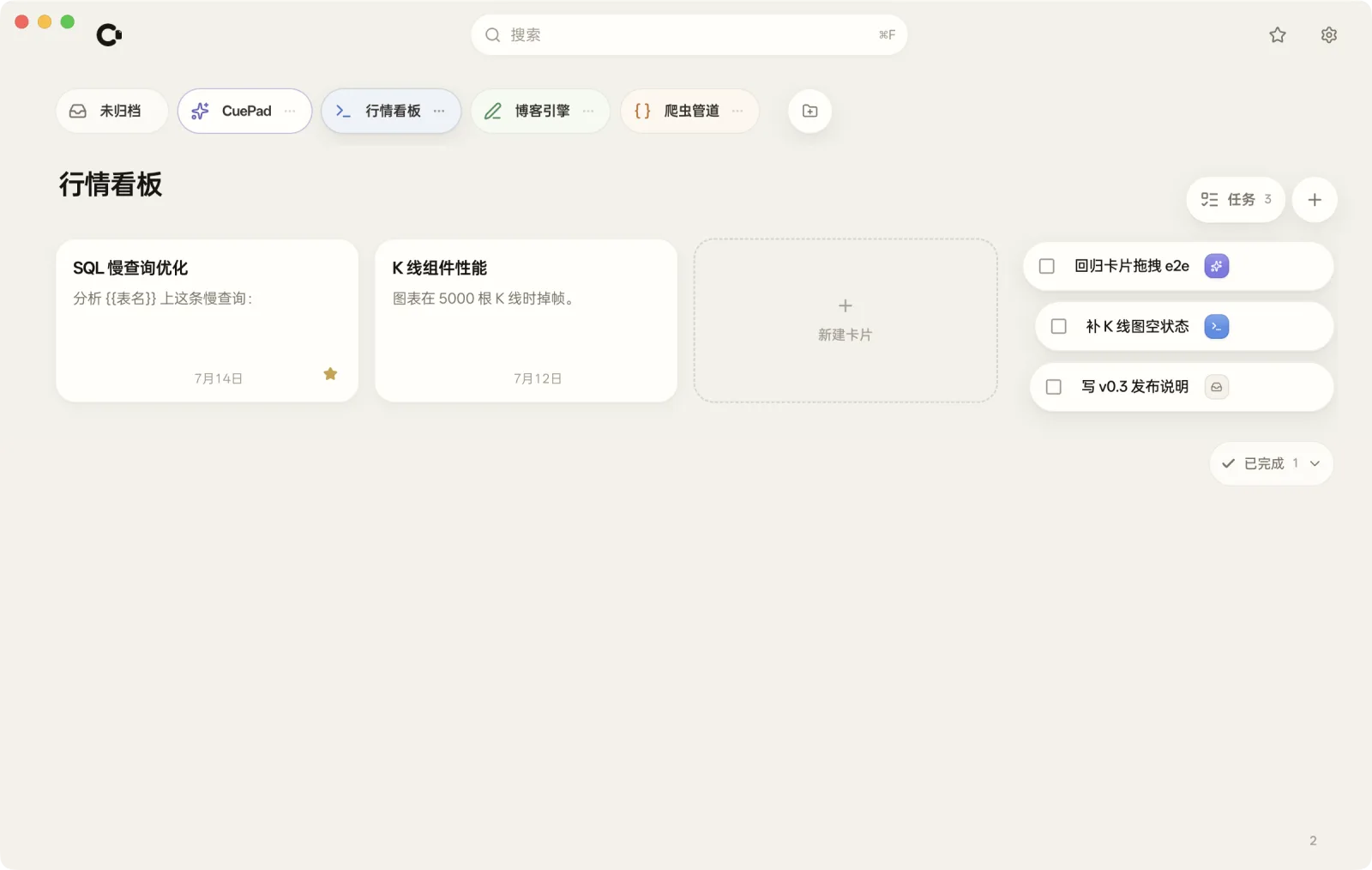
A horizontal project bar, global favorites, floating to-dos — and a trash that forgives.
A quiet desk for loud ideas.
Calm after dark
Light, dark, or follow the system — the paper stays easy on your eyes.
Download. Open. Write.
CuePad is free and open source under Apache-2.0. One click gets the latest Apple Silicon build.